



To ensure video content is accessible and compliant with the Web Content Accessibility Guidelines (WCAG), it is vital to consider the needs of all users, particularly those who are blind or visually impaired. Below are the key components necessary for video compliance:
1. Remediation for Video without Audio
For videos that are purely visual, you have two options to ensure compliance:
- Provide either a text transcript or an audio track.
- If an audio track is provided, a text transcript is not necessary.
The primary goal of this requirement is to offer audio descriptions that help blind and visually impaired users comprehend the visual elements of the video. Since videos often convey information visually, this can create barriers for non-sighted users. By including audio descriptions, you ensure that all viewers receive a similar experience and fully understand the content.
Additionally, audio descriptions assist individuals with cognitive difficulties by clarifying the visual aspects of the video.
Key Considerations for Audio Descriptions:
- Provide audio descriptions for any visual content that isn’t explained in the video’s dialogue.
- The audio description can be integrated into the original video or provided as a separate track.
- Ensure the audio description covers:
- Scene changes
- Settings
- Actions described in dialogue
- Any visual information not conveyed through speech.
- Use media players that support audio descriptions to enhance accessibility.
2. Remediation for Video with Audio
For videos containing both audio and visual elements, the following components are essential for WCAG compliance:
- Provide a full transcript of the audio.
- Include context and descriptions for what occurs in the video, covering:
- Speaker changes
- Scene transitions
- Important visual elements that contribute to the narrative.
By providing a complete transcript along with contextual descriptions, you ensure that users who are deaf, hard of hearing, or have cognitive disabilities can accurately follow the content.
Examples of Compliance
Audio Description Example: If a video shows a scene of a park, the audio description might say, “The scene transitions to a sunny park filled with people walking dogs and children playing.”
Transcription Example: For a video with an interview, the transcript should include not just the spoken words but also cues for when a new speaker begins or when significant visual changes occur.
Video Example 1: Understanding Video Remediation
Video Example 2: UserWay Video Transcription

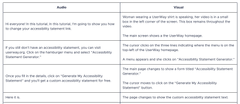
UserWay offers manual video remediation services to assist in achieving compliance. You can read more about these services HERE.
If you have any questions, you can reach out to our support team at desk@support.userway.org.