



Logging in to the Dashboard
- Visit the Dashboard Login Page: Go to https://manage.userway.org
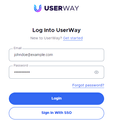
- Provide Your Credentials: Enter your credentials (email and password).
- Click the Login Button: After entering your credentials, click the Login button to access the Dashboard:

If you require additional assistance, please don’t hesitate to contact us at desk@support.userway.org.